

Set up a digital photo frame for someone, and within a week they'll call you — not to troubleshoot, but to talk about the photo that showed up on their kitchen counter that morning. That's what a good frame does: provide a daily dose of memories from afar.
The trouble is finding a good one — plenty of frames come with clunky apps, slow Wi-Fi, or surprise subscription fees. We make PhotoSpring frames, so we have a stake here — but we've also lived with the competition, and this is our honest take.
We reviewed eight of the most popular frames, from budget starters to premium designs, looking at display quality, setup, photo sharing, storage, and the true long-term cost.
Already know what you're looking for? Open our Frame Finder and we'll narrow the list down to the frames with the features you care about.
What matters most to you?
Tap the features you care about — the list updates instantly. "No subscription" hides any frame that locks a feature you picked behind a paid plan.
Quick picks
- Best battery-powered frame: PhotoSpring View 10" — $129.90
- Best for grandparents (no subscription): PhotoSpring View 10" — $129.90
- Best budget pick: Frameo-compatible frames — from ~$40
- Best no-subscription under $100: PhotoSpring Lite 10" — $79.90
- Best name recognition (with a catch): Skylight Frame 10" — $139.99
- Best premium design: Aura Frames Carver Mat 10" — $143
- Best subscription features: Nixplay Classic 10.1" — $139.99
- Best for tech-averse email users: Pix-Star 10" — from $99
- Best no-subscription home frame: PhotoSpring Classic 10" — $99.90
Comparison table
← Scroll to see the full table →
| Frame | Price | Screen | Storage | Subscription | Battery | Best for |
|---|---|---|---|---|---|---|
| PhotoSpring View 10" | $129.90 | 10" touchscreen | 32GB / 10K photos | None | Yes (4–10 hrs) | Portability + gifting |
| PhotoSpring Classic 10" | $99.90 | 10" touchscreen | 32GB / 10K photos | None | No | Everyday home use |
| PhotoSpring Lite 10" | $79.90 | 10" touchscreen | 32GB / 10K photos | None | No | Budget-conscious buyers |
| Skylight Frame 10" | $139.99 | 10" IPS touchscreen | 8GB / ~8K photos | $39/yr (for videos) | No | Seniors, easiest setup |
| Aura Frames Carver Mat 10" | $143 | 10" LCD | Unlimited cloud | None | No | Design-forward buyers |
| Nixplay Classic 10.1" | $139.99 | 10.1" IPS | 500MB free / unlimited w/ plan | $19.99–$29.99/yr | No | Power users, large families |
| Pix-Star 10" | from $99 | 10" | 8GB / ~30K photos | None | No | Email-first sharing |
| Frameo-compatible 10.1" | ~$60–80 | 10.1" (varies) | Varies by hardware | Free / $39.99/yr | No | Budget, platform flexibility |
The 8 best digital photo frames
1. PhotoSpring View 10" — Best battery-powered frame
$129.90 · photospring.com
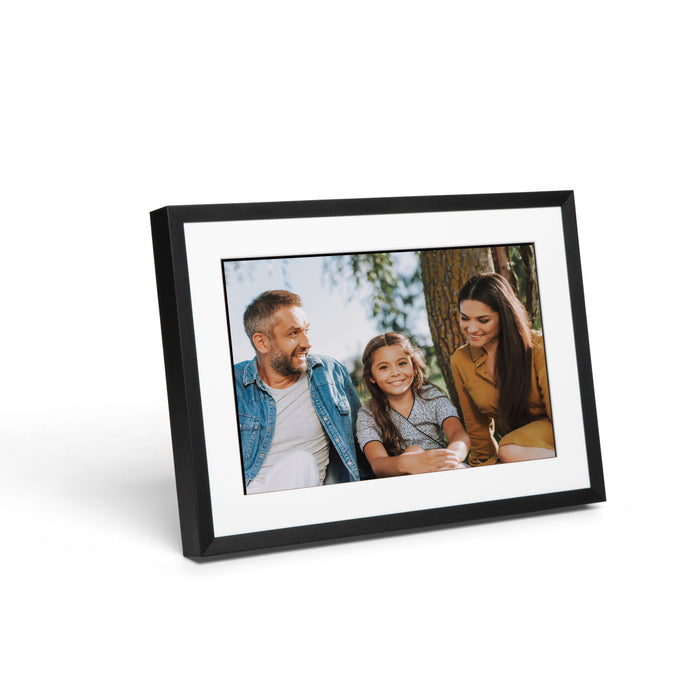
Most frames are tethered to an outlet for life. The View isn't: it's the only mid-range frame with a built-in rechargeable battery, good for 4 to 10 hours cordless. That makes it a travel companion, an event centerpiece, or a gift you ship pre-loaded and ready to go.
It doesn't cut corners to get there. The 10" touchscreen is bright and responsive, setup takes about five minutes, and the whole family can send photos at once — by email, the app (iOS and Android), Google Photos, or a web browser.
Storage is 32GB on the device (up to 10,000 photos and 1GB of HD video), with no subscription and no fees, ever. That's the main reason it's our top pick for grandparents: no annual bill, nothing paywalled, nothing to renew. And gift mode lets you add photos and a message without opening the box, so it can ship straight to them and show your photos the moment they power it on.
If you want one frame that does everything well, this is it.
- Display: 10" touchscreen, 1280×800 resolution
- Storage: 32GB built-in (up to 10,000 photos + 1GB HD video)
- Battery: Yes, rechargeable — 4 to 10 hours runtime
- Sharing: Email, iOS/Android app, web browser, Google Photos, USB, SD card
- Subscription: None. Free storage forever.
- Price: $129.90
- Only mid-range frame with a battery option
- No subscription fees — ever
- Google Photos auto-sync (hourly)
- Full touchscreen with auto-rotate portrait/landscape
- Unlimited family sharing
- 100% satisfaction guarantee, 30-day returns
- Only available in 10" (no larger size option)
- Newer to market, so fewer reviews than Skylight or Nixplay
Who it's for: Anyone who wants the best all-around frame at a fair price, especially if portability or battery life matters. The standout gift option — add photos and a gift message remotely without opening the box, so it ships straight to them and their first power-on is already magical.
2. PhotoSpring Classic 10" — Best no-subscription home frame
$99.90 · photospring.com
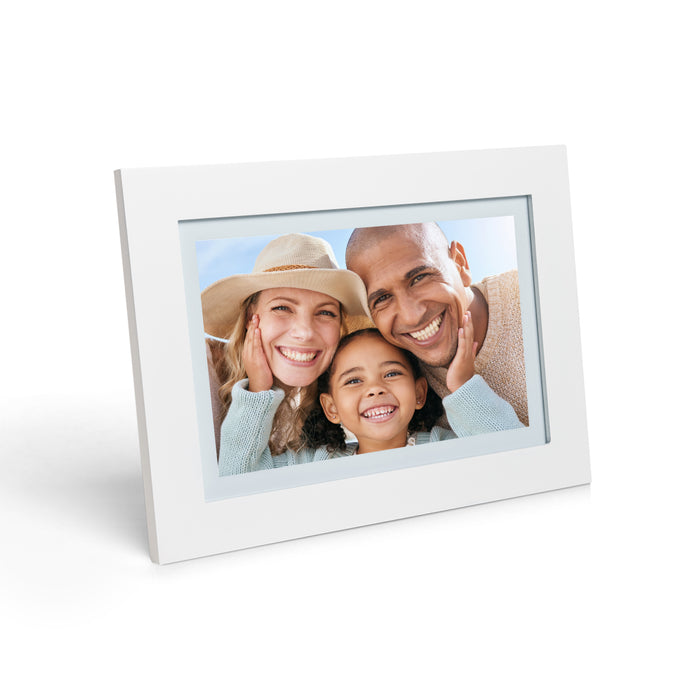
The Classic is the View without the battery — same 10" touchscreen, same 32GB, same Google Photos sync, same unlimited family sharing, same email-to-frame and app, and still no subscription.
At $99.90 it's one of the best values in the category: a frame that lasts years, holds up to 10,000 photos, and never charges a recurring fee. It comes in black or white — and white genuinely disappears into a light wall in a way black can't. Like the View, it supports gift mode — add photos and a message without opening the box and ship it straight to the recipient.
- Display: 10" touchscreen, 1280×800 resolution
- Storage: 32GB (up to 10,000 photos + 1GB HD video)
- Battery: No (AC adapter)
- Sharing: Email, app, web, Google Photos, USB, SD card
- Subscription: None
- Price: $99.90 (black or white)
- Full feature set at $99
- No subscription, free storage forever
- Available in black and white
- Sleep mode scheduling, custom albums, auto-rotate
- Preloadable for gifting
- No battery option (see PhotoSpring View)
- Fixed placement required (needs to be near an outlet)
Who it's for: Buyers who want a reliable, full-featured frame without a subscription, at a price that doesn't require justification. Best for a fixed home location.
3. Skylight Frame 10" — Best name recognition (with a catch)
$139.99 · View on Amazon →

Skylight is the most-reviewed frame here — 27,200+ Amazon ratings at 4.7 stars. That's a large, consistent track record, and for many buyers the familiar name is part of the appeal.
The appeal is simplicity. Setup takes about 10 minutes, and anyone can send a photo by emailing the frame's address — no app, no account. It's an easy model, though not a unique one: PhotoSpring offers the same email-to-frame sending, just as simply.
The base frame holds about 8,000 photos on 8GB. The free tier covers browsing, the heart reaction, sleep scheduling, and gift mode for pre-loading. But videos, albums, and remote settings need Skylight Plus at $39/year.
Over four years that's $139.99 + $156 = $295.99. A PhotoSpring View covers the same ground — touchscreen, app and email sharing, video, unlimited senders — for $129.90 total with no subscription, and includes 32GB versus 8GB. Still, if name recognition and ease of use matter most, Skylight earns it, and its support is genuinely excellent.
- Display: 10" IPS touchscreen, 1280×800 resolution
- Storage: 8GB (~8,000 photos)
- Battery: No
- Sharing: Email (no account required), iOS/Android app
- Subscription: $39/year (Frame Plus) — required for videos and albums
- Price: $139.99
- 27,200+ Amazon reviews, 4.7 stars
- Among the most-reviewed frames in the category
- No account required to send photos (just email)
- Outstanding customer support
- Gift Mode for pre-loading before delivery
- Videos and albums locked behind $39/year subscription
- Only 8GB storage (vs. 32GB on PhotoSpring)
- Long-term cost adds up vs. no-subscription alternatives
- No battery option
Who it's for: Buyers who value name recognition and simplicity above total cost, or anyone gifting to an elderly relative where Skylight's reputation will help the recipient trust the device. If total cost matters, PhotoSpring covers the same use case for significantly less.
4. Aura Frames Carver Mat 10" — Best premium design
$143 (was $179) · View on Amazon →

Aura's calling card is its look. The paper-like mat around the display gives the Carver a gallery feel, and the screen color-calibrates to the room's light. If you specifically want a frame that reads as a framed print, this is the one that leans hardest into that style.
The reviews reflect that focus on design: 13,000+ five-star ratings, with the display and mat styling the most-cited positives. You also get unlimited storage, no subscription, a touch bar, a built-in speaker, and auto-off in the dark.
The catch is price and preference. At $143 you're paying roughly $40 over a PhotoSpring Classic for Aura's particular gallery look. If that style is what you're after, it's money well spent; if you'd rather put that toward features — a battery, more sharing options, full-length video — the Classic is a clean, modern frame that covers more ground for less.
- Display: 10" LCD, color-calibrated
- Storage: Unlimited cloud uploads
- Battery: No
- Sharing: Aura mobile app
- Subscription: None
- Price: $143 (currently on sale from $179)
- Display quality consistently rated among the best in the category
- Unlimited photo uploads, no subscription
- Paper-like mat finish, premium physical design
- Auto-off in dark, color-calibrated display
- 13,000+ five-star reviews
- Premium pricing ($143–$299 range)
- Sharing requires the Aura app (no email-to-frame option)
- No battery option on Carver line
Who it's for: Design-conscious buyers for whom the frame needs to look as good as the art they'd hang next to it.
5. Nixplay Classic 10.1" — Best subscription feature set
$139.99 · View on Amazon →

Nixplay has been at this for over a decade and serves 4 million+ customers. The Classic 10.1" is the entry point into a deep, feature-rich ecosystem.
The free tier is just 500MB (around 1,500 photos). More storage means a plan: $19.99/year for 100GB, or $29.99/year for unlimited storage, shared albums, and Dropbox sync. Standouts include AI face-centering, an Events feature for occasion-based slideshows, and one of the best apps in the category, on a solid 10.1" IPS display.
The catch is the subscription. Over four years, Nixplay Plus runs $139.99 + $119.96 = $259.95 — more than a View at $129.90 with no ongoing cost. If you'll actually use Dropbox sync and unlimited albums, it can be worth it. For casual users, it isn't.
- Display: 10.1" IPS, 1280×800 resolution, 1000:1 contrast
- Storage: 500MB free / 100GB ($19.99/yr) / Unlimited ($29.99/yr)
- Battery: No
- Sharing: App, email, social media integration, Dropbox sync (on paid plans)
- Subscription: Optional but significantly expands features
- Price: $139.99
- 4 million+ customers, established platform
- AI face-centering for better photo display
- Deep Dropbox integration on paid plans
- Polished app experience
- Good display quality
- Free tier only 500MB storage
- Best features locked behind annual subscription
- Long-term cost is higher than no-subscription alternatives
Who it's for: Tech-comfortable users who want the deepest platform integration and are willing to pay a subscription for the full feature set.
6. Pix-Star 10" — Best for tech-averse email users
From $99 · View on Amazon →

Pix-Star leans hard on email-to-frame sharing: every frame gets its own email address, and to share a photo you simply email it — no app, no account for the sender. Skylight and PhotoSpring offer the same email option; Pix-Star just builds its whole experience around it.
For a grandparent — or any family with members who aren't smartphone-comfortable — that's about as frictionless as sharing gets. You whitelist who can send, and the recipient just hands out the address.
Under the hood: 8GB (about 30,000 photos) plus unlimited free cloud backup, no subscription, and more inputs than most — Wi-Fi, Bluetooth, USB, and SD. The display is functional rather than premium and the interface less polished than Aura, Skylight, or PhotoSpring, but for email-first sharing it fills a real niche.
- Display: 10" (resolution not publicly specified)
- Storage: 8GB (~30,000 photos) + unlimited free cloud
- Battery: No
- Sharing: Email-to-frame, app, Bluetooth, USB, SD card
- Subscription: None
- Price: From $99 (exact current pricing varies by retailer)
- Email-to-frame sharing requires no app for senders
- 8GB / 30,000 photo capacity
- No subscription, unlimited cloud backup
- More physical input options than most (USB, SD, Bluetooth)
- 2-year warranty
- Display quality is functional, not premium
- Interface less polished than Aura, Skylight, or PhotoSpring
- Exact pricing varies and can be hard to pin down
Who it's for: Buyers prioritizing maximum sharing simplicity, especially for recipients who won't be downloading apps and want photos to "just appear."
7. Frameo — Best budget platform
From ~$40 · View on Amazon →

Frameo isn't a frame brand — it's a Danish software platform (30 million+ app downloads) that runs on third-party hardware from various Amazon sellers. Buy a Frameo-compatible frame ($60–80 for 10.1"; 7" models from ~$40), install the free app, and you're connected. No subscription for the core experience.
Understand the trade before buying: the hardware is commodity and quality varies by maker. What Frameo controls is the software, and it's genuinely good — quick setup, a well-reviewed app, and albums, collages, captions, reactions, and sleep scheduling all free. Frameo+ ($39.99/year) adds cloud backup and longer video; most won't need it.
Because you're betting on third-party hardware, read the specific Amazon listing reviews first. Land on a good one and you get a capable frame for about half the price of a PhotoSpring or Skylight.
- Display: Varies by hardware (10.1" common; 7" to 15.6" available)
- Storage: Varies by hardware (typically 8-16GB on common models)
- Battery: No (on most models)
- Sharing: Frameo iOS/Android app
- Subscription: Free tier full-featured; Frameo+ at ~$39.99/yr for cloud backup and extended video
- Price: ~$40-80 depending on frame size and hardware brand
- Lowest entry price in the category (~$40 for a 7" frame)
- Free tier is genuinely usable, not crippled
- 30M+ app downloads — proven, widely adopted platform
- App-based sharing is simple and reliable
- Regular feature updates (calendar, collage, reactions all added post-launch)
- Platform flexibility — not locked to one hardware vendor
- Hardware quality varies — no single "Frameo frame" to recommend; due diligence required per listing
- Photo and video management limited without Frameo+ subscription
- Smaller free-tier batch limits (fewer than 100 photos per send)
- Hardware support handled by frame manufacturer, not Frameo
- Display and build quality typically lower than dedicated brands like Skylight or PhotoSpring
Who it's for: Budget-first buyers who want a functional, app-driven photo frame at the lowest possible price and are comfortable reading Amazon reviews to pick a solid hardware option.
8. PhotoSpring Lite 10" — Best no-subscription under $100
$79.90 · photospring.com
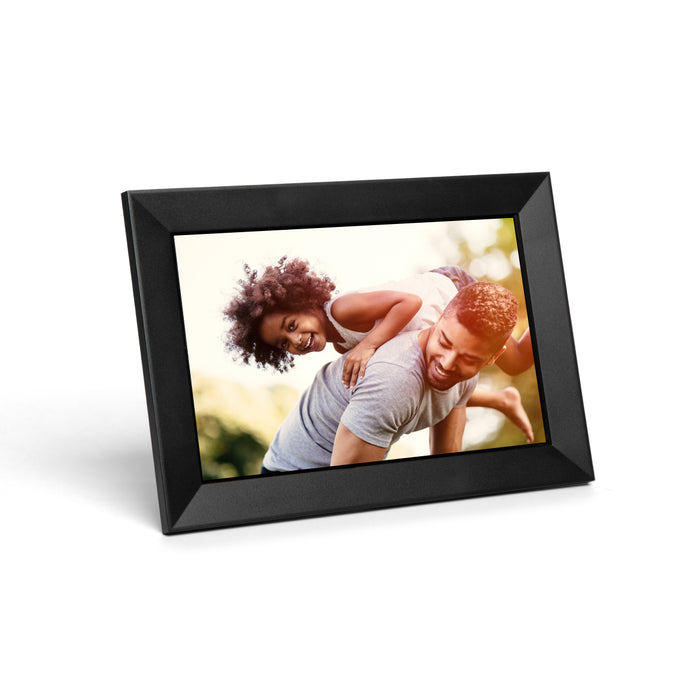
The Lite is our entry model, and it keeps what matters: the same 10" touchscreen, the same 32GB, the same no-subscription promise, the same email, app, and web sharing, and the same 30-day guarantee. Versus the Classic you give up some Google Photos sync and color options; versus the View, the battery.
At $79.90 it costs a little more than a budget Frameo frame, but you get a real hardware brand behind it: 32GB on-device, a full touchscreen, and a genuine no-subscription commitment. For a first frame, or anyone who wants something dependable without overspending, it's the right starting point.
- Display: 10" touchscreen
- Storage: 32GB (up to 10,000 photos + 1GB HD video)
- Battery: No
- Sharing: Email, app, web, USB, SD card
- Subscription: None
- Price: $79.90
- Most affordable no-subscription 10" frame with 32GB storage
- Full touchscreen with slideshow controls
- Same core sharing features as higher tiers
- 30-day satisfaction guarantee
- No battery (see View)
- Google Photos sync not available on all configurations
- Fewer color options
Who it's for: First-time buyers, budget-conscious gifters, anyone who wants a reliable digital frame without paying for features they won't use.
How to choose a digital photo frame
1. Figure out who's receiving it
Buying for yourself? Optimize for features and display. Buying for an older relative? Ease of use comes first — how simply they can operate it, and how easily family can send photos. PhotoSpring wins here because there's no subscription to confuse anyone and you can pre-load it before gifting; Skylight wins because sending needs only an email, and its 27,000+ reviews mean the name may already feel familiar.
2. Decide how you want to share photos
There are three ways to send photos:
- App-first: the sender uses an app. (Aura, Nixplay, Skylight, and PhotoSpring all offer this.)
- Email-to-frame: the sender emails photos to the frame's address — no app needed. (PhotoSpring, Skylight, Pix-Star.)
- Physical input: USB stick or SD card, supported by most frames as a fallback.
Email-to-frame is the most inclusive. If anyone in the family won't download an app, make it your default.
3. Understand subscription costs before you buy
Several frames push subscriptions for full functionality. Here's the real four-year cost:

- PhotoSpring View 10": $129.90 + $0/yr × 4 = $129.90
- Nixplay Classic 10.1": $139.99 + $29.99/yr × 4 = $259.95
- Skylight Frame 10": $139.99 + $39/yr × 4 = $295.99
That's not an argument against subscription frames — it's an argument for knowing what you're signing up for before handing one to a grandparent who won't get why they're billed every year.
4. Don't overlook storage
Storage matters more than the spec sheet suggests — a frame runs for years and piles up thousands of photos. "Unlimited cloud" sounds better than "8GB built-in," but local storage keeps photos showing even when Wi-Fi drops. For most long-term use, 32GB local (PhotoSpring) beats 8GB (Skylight).
5. Battery is rarer than you'd expect
The PhotoSpring View is the only frame here with a battery (4–10 hours). If you want one that moves around — kitchen to living room, travel, events — that's the whole list.
Frequently asked questions
Do digital photo frames need Wi-Fi?
Most digital frames require Wi-Fi to receive new photos remotely. However, once photos are loaded — either wirelessly or via USB — many frames will display them without internet. PhotoSpring and Skylight both support offline viewing of locally-stored photos.
Can multiple people send photos to the same frame?
Yes — all frames reviewed here support multiple senders. PhotoSpring allows unlimited family members to share to a single frame. Skylight's email model means anyone with the frame's address can send, no account required. Nixplay and Aura use app-based sharing with invite controls.
What's the difference between a subscription and a one-time purchase frame?
Subscription frames (like Nixplay and Skylight Plus) charge annually for features like video support, expanded storage, or additional album controls. No-subscription frames (like PhotoSpring and Aura) charge once and include full functionality. Over 3–4 years, the subscription cost can significantly exceed the original frame price.
Are digital photo frames easy to set up for seniors?
The easiest to set up are Skylight (10 minutes, no technical background required) and PhotoSpring (similarly simple, with clear guided setup). The key variable is whether family members need an app to send photos — if the recipient's family won't bother downloading one, email-to-frame options (PhotoSpring, Skylight, Pix-Star) are the safest bet.
Can I send videos to a digital photo frame?
Most modern frames support video. PhotoSpring supports up to 1GB of HD video across all models. Skylight requires the Plus subscription ($39/year) for video. Nixplay supports video on paid plans. Always check before purchasing if video is important to you.
How long do digital photo frames last?
Quality digital frames typically last 5–10 years with regular use. The key variables are build quality and software support. PhotoSpring and Skylight both have strong track records of software updates and customer support for older models.
What size digital photo frame should I buy?
For most home use, a 10" frame is the practical sweet spot — large enough to enjoy photos from across a room, small enough to fit on a shelf or credenza without dominating. Larger frames (12"–15") work well for living room display or wall mounting.
Can I preload photos before giving a frame as a gift?
Yes — PhotoSpring, Skylight, and Aura all offer a gift mode. With PhotoSpring you can add photos and a gift message remotely, without opening the box, so the frame can ship straight to the recipient and their first power-on already shows your photos and a note.
The bottom line
The best frame depends on who you're buying for and what it needs to do.
For the best mix of features, value, and flexibility — especially for grandparents — the PhotoSpring View at $129.90 is our top pick: no subscription, 32GB of storage, and a battery that's unique at this price. For a fixed spot at home, the PhotoSpring Classic delivers the same experience for $30 less.
Gifting to a senior and want the easiest setup? Skylight earns its popularity. Love the gallery-mat look and don't mind paying for it? Aura's Carver Mat. For everyone else it comes down to one question: pay once, or pay every year? If it's pay once, PhotoSpring is the clearest choice.
Try PhotoSpring
PhotoSpring frames ship from Los Angeles, come with a 30-day satisfaction guarantee, and work out of the box in minutes. No hidden fees, no subscriptions — just a frame that works.
A note on links: Links to other brands on this page — in the Frame Finder and the reviews — are affiliate links; if you buy through one, we may earn a small commission at no extra cost to you. It never changes which frames we include or how we rate them. Links to PhotoSpring products are our own.

Leave a comment
This site is protected by hCaptcha and the hCaptcha Privacy Policy and Terms of Service apply.