

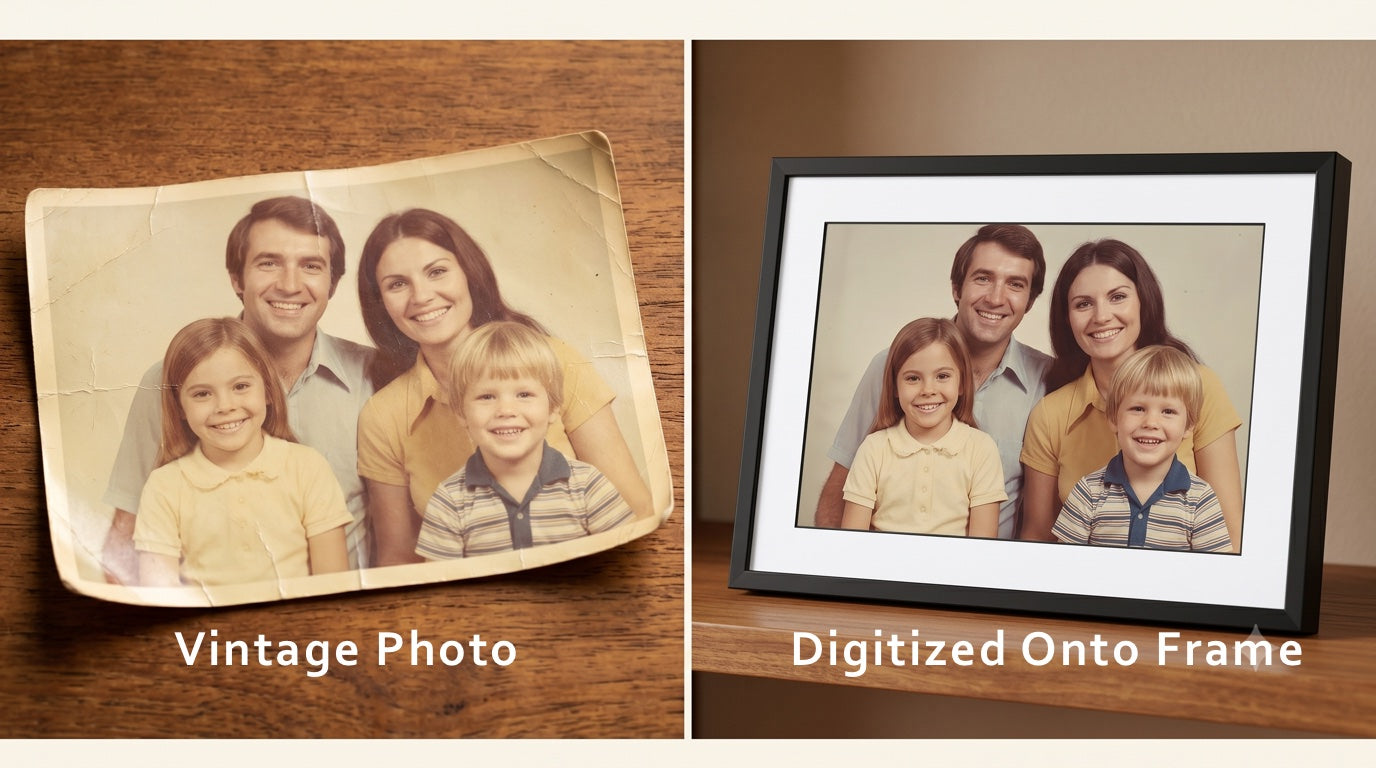
If you want to scan old photos, you have three real options — and they're not equal. Here's what each one actually involves, including the trade-offs most guides skip over.
Most family photos are sitting in shoeboxes, drawers, and albums that rarely get opened. They're not on display, barely seen, and every year that passes, the colors fade a little more and the paper grows a little more brittle. Scanning old photos is the only way to stop that clock.
But how you scan them matters as much as whether you do it. A smartphone app, a professional photo scanning service, and a dedicated scanner all get the job done — just with very different results in quality, time, and effort. Here's the honest breakdown of all three.
We'll also cover the step most guides skip: scanning is only worth it if you actually look at the photos afterward — not if you trade a cardboard shoebox for a digital one buried in a cloud folder.
Scan Old Photos with Your Smartphone

Apps like Google PhotoScan reduce glare by stitching multiple angled shots together.
The quickest way to start is your phone camera and a free scanning app. Apps like Google PhotoScan and Photomyne are purpose-built for this: PhotoScan shoots several angled frames and stitches them together to cut down on glare, while Photomyne can capture multiple prints in one shot. There's nothing to buy and you can start immediately.
For a small number of loose prints — a few dozen favorites you want to share — this can work well enough. For anything larger, the limitations become the story.
Scanning one photo at a time is slower than it sounds. A collection of 200 prints — not unusual for a single family — can easily fill a full day, and that's before organizing, renaming, or backing anything up. Many people start this project with good intentions on a Saturday and quietly abandon it.
Even under good lighting, a smartphone captures considerably less detail than a proper scanner. Consumer phones effectively scan at 150–300 DPI. Professional scanning equipment runs at 600 DPI — capturing four times the detail. The gap shows most clearly when you want to enlarge a photo or zoom in on faces. Color accuracy also varies with whatever light is available, and glare is a constant battle even with the best apps.
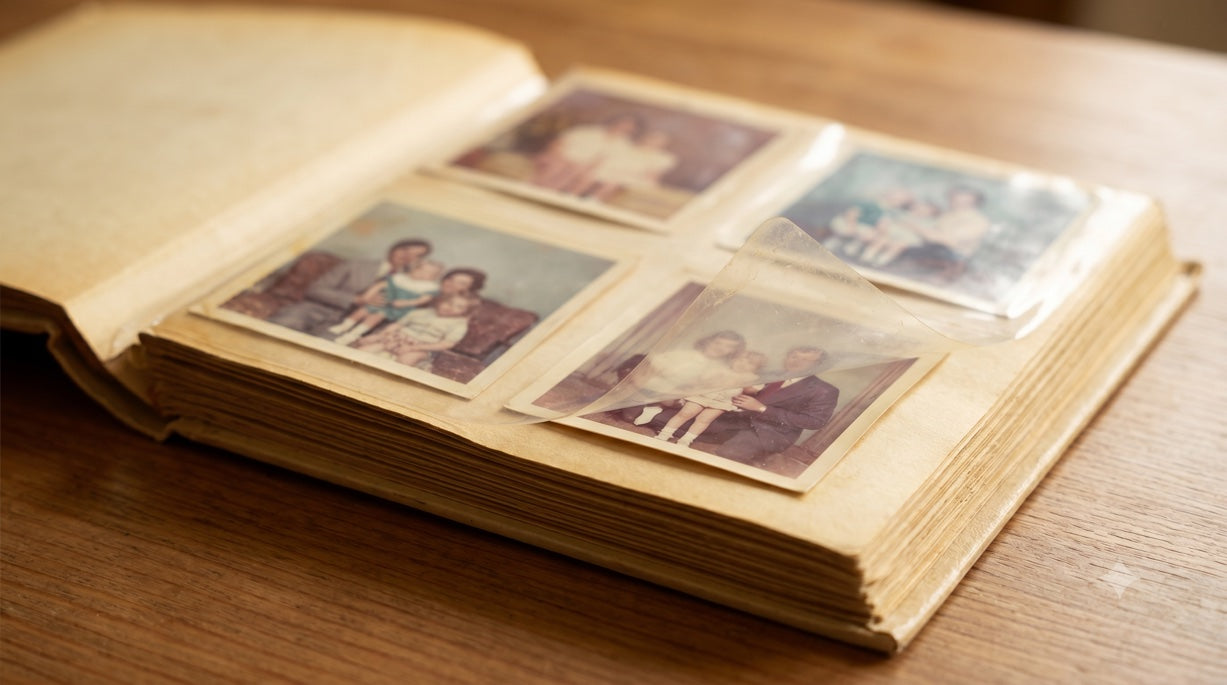
Bound albums are a problem of their own. Photographing through plastic sleeves causes glare and distorts the edges, and prying photos out of old peel-and-stick pages risks tearing them, since that adhesive keeps bonding to the print over the years. For albums, a phone simply isn't the right tool.
- Fewer than ~50 loose prints
- Quick sharing with family
- Zero upfront cost
- Large collections (extremely slow)
- Photos you want to print or enlarge
- Bound albums of any kind
Use a Professional Photo Scanning Service

The whole process on your end is packing a box and attaching a prepaid label.
Professional scanning services let you skip the DIY process entirely. You pack up your prints or albums and ship them to a scanning facility. Trained technicians scan everything with professional equipment, typically at 600 DPI, and return both a digital download and your originals.
Several well-known services operate this way. ScanMyPhotos is one of the larger ones — they work with loose prints by volume and are frequently cited in round-ups. Legacybox handles prints, slides, negatives, and even old film. ScanCafe is another option focused on print quality. iMemories offers a modern app-based experience for mixed media collections. We round out the list ourselves: best known for our digital photo frames, we've also been scanning family photos for our customers since 2015.
Here's how the top photo scanning companies compare on details we believe matter most:
| Service | Starting Price | DPI | Turnaround | Shipping | Quality Guarantee |
|---|---|---|---|---|---|
| PhotoSpring | From 25¢/photo | 600 DPI | Under 5 days typical | UPS, free both ways, tracked & insured | Review digital link first. Request rescans. Originals returned only after your approval. |
| ScanCafe | From 34¢/photo | 600 DPI | 3–5 weeks standard | UPS — you pay to ship in; return included | Preview online, reject up to 20% before paying |
| iMemories | From 99¢/photo | 300 DPI | 1–2 weeks digital; originals returned after | FedEx; SafeShip Kit extra (~$29.99) | Review digital files before originals ship back; downloads free, cloud streaming needs a subscription ($7.99/mo) |
| ScanMyPhotos | From 50¢/photo (600 DPI) | 300 or 600 DPI | 3–6 weeks standard | USPS — return shipping extra | No refunds once an order is placed; no quality guarantee on high-volume scans |
| Legacybox | Kit-based (~55¢–$1.10/photo) | 300 DPI | ~3–4 weeks (photo kit) | UPS — prepaid label included, return included | Barcode tracking; no preview before originals returned |
Prices, DPI, and turnaround are for paper photo prints, current as of 2026 — verify before ordering, as they change. Per-photo figures are representative starting rates; most services charge more for small orders and less at high volume. PhotoSpring's 25¢ applies at 1,000 photos (65¢ at 100). Legacybox sells fixed-size kits and runs frequent sales; its mixed-media kits run 10–12 weeks. iMemories offers free digital downloads, with cloud streaming on a paid subscription ($7.99/mo or $49.99/yr).
A good professional service scans album pages without removing prints from their sleeves — the only safe approach for older or stuck photos. This is the main reason professional scanning makes sense for bound albums even if you'd DIY loose prints yourself.
- Collections of any size
- Bound albums and fragile prints
- Anyone without free weekends
- Maximum quality, zero equipment
- Direct-to-frame delivery if you have a PhotoSpring frame
- You're waiting for turnaround
- Costs more than a free phone scan
What to Look For in a Service (and How PhotoSpring Works)
If you go the professional route, pay attention to where the photos are actually processed and how you get them back. We built the PhotoSpring scanning service specifically to solve the friction points we saw our frame customers experiencing.
Our service runs at a true 600 DPI with 24-bit color, and everything is handled by our own technicians right here in Los Angeles — your irreplaceable memories are never shipped overseas. Turnaround is typically under 5 business days (stretching to 10 during the holiday rush), and two-way tracked UPS shipping is fully covered. If you already own a PhotoSpring frame — or choose to add one to your order — we can load your newly digitized scans directly to it. You go from a dusty box of prints to a living, automatically rotating display without a single extra step.
Before we return anything, we send you a link to your digital scans so you can review every image. If anything doesn't look right, request a rescan — we'll take care of it. Your originals are only shipped back once you're satisfied. Every shipment travels via UPS with full tracking and insurance both ways, so you have a tracking number from the moment your box leaves your door until your originals are back in your hands. We've been handling family photos for over 15 years and treat every collection like it's our own.
Get 15% off photo or album scanning with code PRESERVE15.
Buy Your Own Photo Scanner

Consumer flatbed scanners require one photo at a time — a 300-print collection can take a full day of sitting at a desk.
Buying a dedicated photo scanner gives you full control and no per-scan cost once the hardware is paid for. On paper, it sounds like the most flexible option. In practice, it's the one most people find significantly more complicated than they expected. Here's what actually happens:
- Place one photo on the glass, close the lid, wait, lift the lid, remove the photo, repeat — 300 prints is a realistic 8–10 hours of this
- Configure scanning software and choose the correct DPI settings
- Run color correction manually on faded or yellowed prints
- Manage file naming so you can actually find photos later
- Set up and maintain cloud backup storage
- Auto-feed scanners are faster but cost $500–$600, jam on small prints, and still require supervision
A standard flatbed scanner physically cannot scan a bound album without removing photos from their sleeves first — which risks tearing and damage on older prints. Scanners capable of scanning album pages without removal cost $250 or more and have their own learning curve. If you have albums, a flatbed scanner is not the right tool.
- Ongoing, repeated scanning needs
- Very large collections you'll tackle over months
- People who genuinely enjoy the process
- One-time digitization projects
- Photo albums of any kind
- Anyone without hours of free time
- Non-technical users
Comparing Your Options: Smartphone, Photo Scanning Service, or DIY Scanner
| Method | Quality | Your Time | Works on Albums | Cost |
|---|---|---|---|---|
| Smartphone App | 150–300 DPI | Hours of active work | ✕ No | Free |
| Pro Service ★ | 600 DPI | ~10 min to pack & ship | ✓ Yes | From $59–$65 |
| Buy a Scanner | Good (if configured) | 8–10+ hrs per 300 photos | ✕ Not really | $100–$600 + time |
The Final Step: Escaping the Digital Shoebox

A PhotoSpring frame runs a rotating slideshow of your entire library automatically — the photos come to you, not the other way around.
Most people spend time and money scanning their photos, drop the files into a cloud folder, and then almost never open it again. You haven't really preserved the memories; you've just traded a cardboard shoebox for a digital one.
The problem was never the format — it was visibility. A PhotoSpring digital frame running a rotating slideshow solves this automatically. The photos come to you. You walk past a shelf, something catches your eye, and suddenly you're looking at a vacation photo from 1993 you completely forgot existed. No app to open. No folder to find. It just runs.
If you use PhotoSpring's scanning service, your digitized photos from fading prints are sent directly to the frame — no need to locate frame codes, create accounts, or transfer zip files. It's the single fastest path from a box of old prints to something your family actually sees every day.
Buying it as a gift? We can ship the frame directly to them, pre-loaded with the scans, ready to turn on. They open a box and their memories are already playing. If you're loading the photos yourself, that's just as easy — send them through the app, by email, or straight from Google Photos in minutes.
Which Option Is Right for You?
Start with your phone if you have a handful of loose prints, zero budget, and just want to share a quick memory with a family member today.
Use a professional service if you have fragile albums, more than 50 photos, or value your weekend time. The quality is vastly superior and your total effort is about 10 minutes. PhotoSpring's scanning service includes free two-way UPS shipping, a quality review before your originals are returned, and optional direct loading onto a frame.
Consider buying a scanner only if you're an archivist at heart and plan to scan hundreds of photos on an ongoing, monthly basis.
Frequently Asked Questions
How much does it cost to scan old photos?
It depends on the method. Scanning prints yourself with a phone app is free, but it costs you hours of time. Professional services typically run from about 25¢ to $1 per photo, and smaller orders cost more per photo than large ones. Our own scanning service starts at 25¢ per photo on larger orders (about 65¢ for 100 prints), with no subscription fees.
What DPI should I scan old photos at?
For standard photo prints, 600 DPI is the sweet spot. It captures enough detail to crop, enlarge, or reprint later without creating unnecessarily large files. Smartphone cameras effectively manage only 150–300 DPI — fine for quick sharing, but limiting if you ever want a larger print. We scan every print at 600 DPI with 24-bit color for that reason.
Is it worth scanning old photos?
Yes. Printed photos fade, yellow, and grow brittle over time, and a spill or a lost box can erase memories that exist nowhere else. Scanning protects your originals and makes them easy to share with family. The real payoff comes when you actually see them again — which is why we suggest pairing your scans with a digital frame or slideshow instead of leaving them in a folder.
How long does professional photo scanning take?
It varies a lot by company. Most mail-in services take three to eight weeks, and some run longer during busy seasons, depending on order size and whether the work is done domestically. We typically return digital scans in under five business days — up to ten around the holidays — all handled here in Los Angeles.
Can a photo album be scanned without removing the photos?
Yes. A good professional service scans album pages without pulling prints out of their sleeves, which is the only safe approach for older or stuck photos. We scan albums in place, so fragile and peel-and-stick prints aren't damaged — something a home flatbed scanner can't do.


Leave a comment
This site is protected by hCaptcha and the hCaptcha Privacy Policy and Terms of Service apply.